

点平滑移动 最后更新时间: 2026年09月22日
功能说明:根据输入的关键点和时间参数,实现点的平滑移动效果。
使用场景:可应用到展示车辆行驶轨迹、用户移动轨迹等场景。
效果示例:
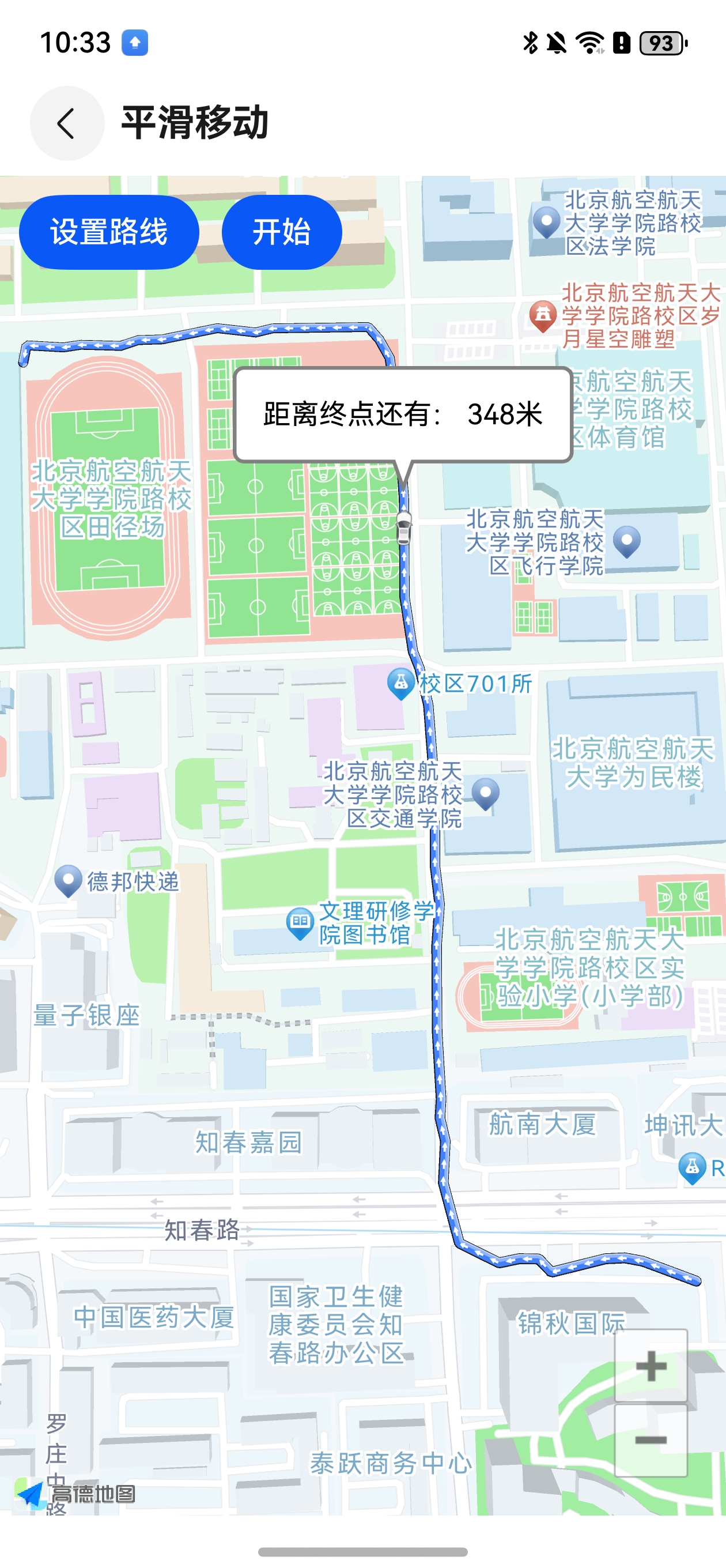
如何实现点平滑移动
MovingPointOverlay 代码位置:
src/main/ets/com/amap/api/utils/overlay/MovingPointOverlay.ets
相关接口
- 设置平滑移动的经纬度数组:public setPoints(List points):void
- 设置平滑移动的总时间:public setTotalDuration(int duration):void
- 设置移动Marker的图标 :public setDescriptor(BitmapDescriptor descriptor):void
- 开始平滑移动 :public startSmoothMove():void
- 停止平滑移动 :public stopMove():void
代码调用示例:
// 读取轨迹点
    let points:ArrayList<LatLng> = this.readLatLngs();

    // 实例 MovingPointOverlay 对象
    if(this.smoothMarker == null && this.mAMap) {
      // 设置 平滑移动的 图标
      let descriptor = BitmapDescriptorFactory.fromRawfilePathSync(this.context,"icon_car.png")
      if(descriptor){
        this.marker = this.mAMap.addMarker(new MarkerOptions().setIcon(descriptor).setAnchor(0.5,0.5));
        if(this.marker)
          this.smoothMarker = new MovingPointOverlay(this.mAMap, this.marker);
      }
    }

    // 取轨迹点的第一个点 作为 平滑移动的启动
    let drivePoint:LatLng = points[0];
    let pair = SpatialRelationUtil.calShortestDistanceLatLng(points, drivePoint);
    if(pair && pair[0])
      points[pair[0]]=drivePoint;
    let subList = points.subArrayList(pair?.[0], points.length);

    // 设置轨迹点
    this.smoothMarker?.setPoints(subList);
    // 设置平滑移动的总时间  单位  秒
    this.smoothMarker?.setTotalDuration(40);
    this.smoothMarker?.startSmoothMove();