

Shapes 最后更新时间: 2026年07月02日
This document describes how to draw shapes on a map. The AMAP Android SDK supports two types of shapes: circles and polygons.
Draw a Circle
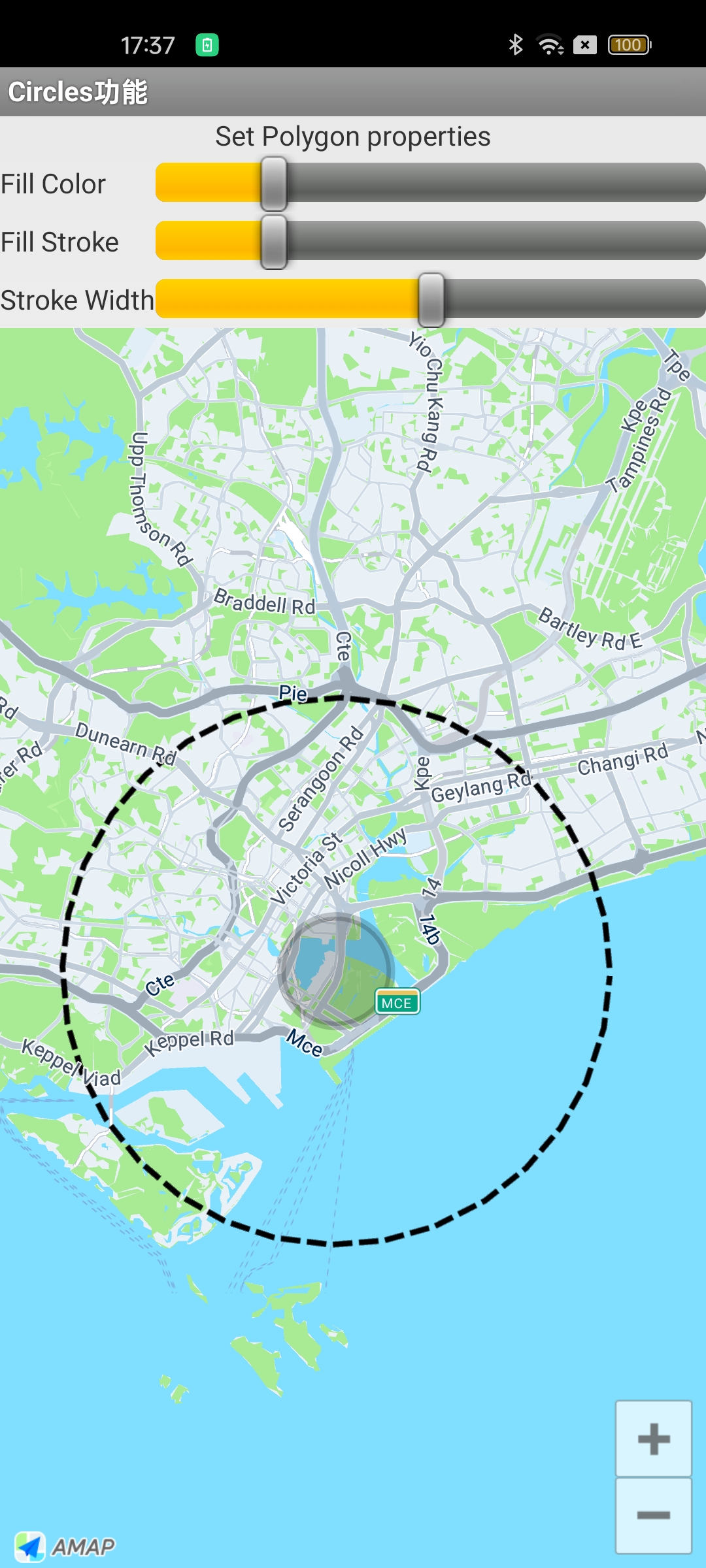
A circle is defined by the Circle class. To create a circle, you must specify its center point and radius.
The following code example demonstrates how to add a circle to the map:
LatLng latLng = new LatLng(1.2834, 103.8607);
circle = AMap.addCircle(new CircleOptions().
        center(latLng).
        radius(1000).
        fillColor(Color.argb(progress, 1, 1, 1)).
        strokeColor(Color.argb(progress, 1, 1, 1)).
        strokeWidth(15));
This code creates a circle with a gray fill and a gray border that is 15 pixels wide. The result is shown in the following image:
Draw a Polygon
A polygon is a closed shape on the map, defined by the Polygon class. It consists of a set of LatLng points that are connected in the order they are added. The properties of a polygon are configured using the PolygonOptions class.
Draw an Ellipse
The following code shows how to add an elliptical polygon to the map:
aMap.addPolygon(new PolygonOptions()
                .addAll(createRectangle(Constants.SINGAPORE_MERLION, 0.01, 0.01))
                .fillColor(Color.LTGRAY).strokeColor(Color.RED).strokeWidth(1));
        PolygonOptions options = new PolygonOptions();
        int numPoints = 400;
        float semiHorizontalAxis = 0.05f;
        float semiVerticalAxis = 0.025f;
        double phase = 2 * Math.PI / numPoints;
        for (int i = 0; i <= numPoints; i++) {
            options.add(new LatLng(Constants.SINGAPORE_CENTER.latitude
                    + semiVerticalAxis * Math.sin(i * phase),
                    Constants.SINGAPORE_CENTER.longitude + semiHorizontalAxis
                            * Math.cos(i * phase)));
        }
        // Draw an ellipse
        polygon = aMap.addPolygon(options.strokeWidth(25)
                .strokeColor(Color.argb(50, 1, 1, 1))
                .fillColor(Color.argb(50, 1, 1, 1)));
    }
Draw a Rectangle
The following helper method generates a list of four coordinate points that define a rectangle:
/**
   * Generate four coordinate points for a rectangle.
   */
  private List<LatLng> createRectangle(LatLng center, double halfWidth,
      double halfHeight) {
    List<LatLng> latLngs = new ArrayList<LatLng>();
    latLngs.add(new LatLng(center.latitude - halfHeight, center.longitude - halfWidth));
    latLngs.add(new LatLng(center.latitude - halfHeight, center.longitude + halfWidth));
    latLngs.add(new LatLng(center.latitude + halfHeight, center.longitude + halfWidth));
    latLngs.add(new LatLng(center.latitude + halfHeight, center.longitude - halfWidth));
    return latLngs;
  }
}
Use the method above to draw a rectangle on the map:
// Draw a Rectangle
aMap.addPolygon(new PolygonOptions()
.addAll(createRectangle(Constants.SINGAPORE_MERLION, 0.01, 0.01))
.fillColor(Color.LTGRAY).strokeColor(Color.RED).strokeWidth(1));
Draw an Irregular Polygon
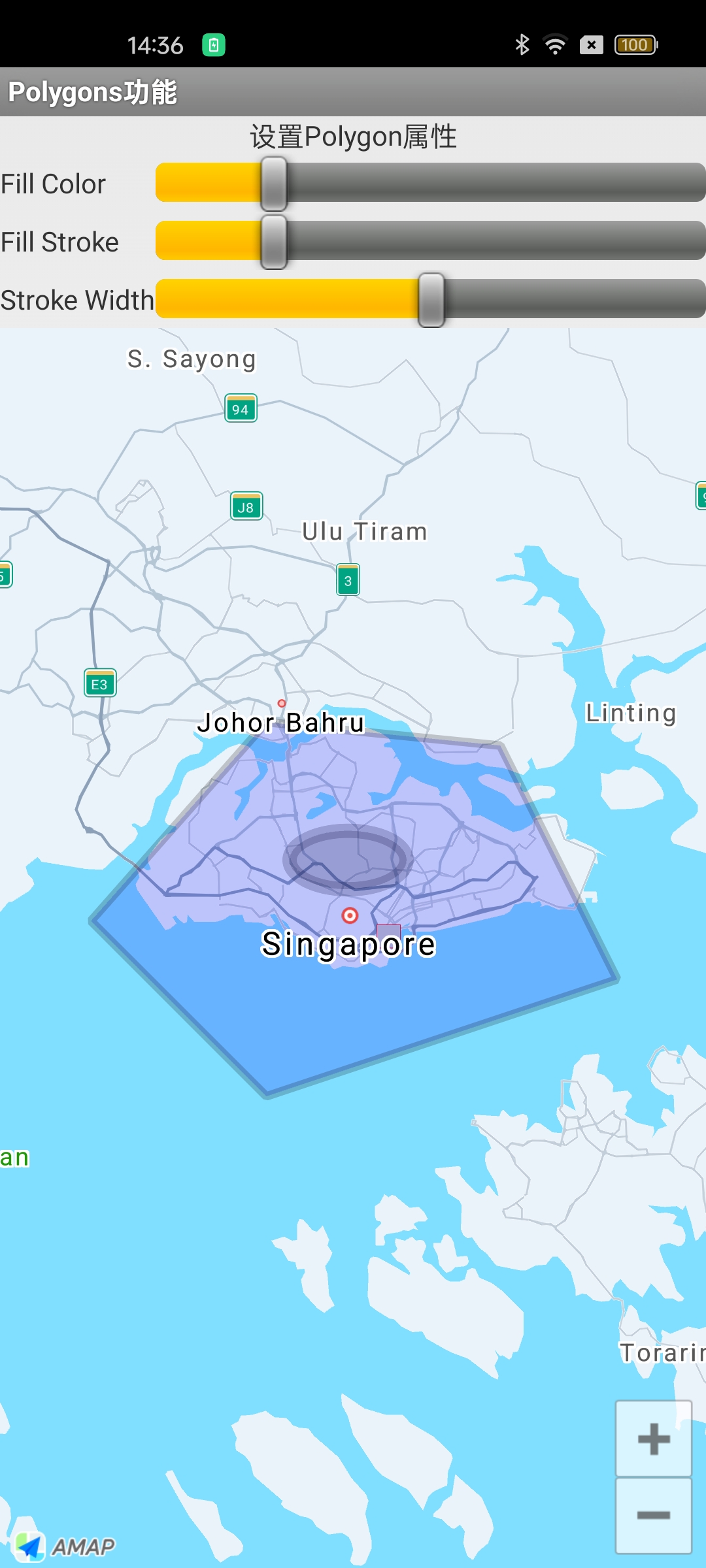
The following example demonstrates how to draw a pentagon (a five-sided polygon):
LatLng latLng1 = new LatLng(1.4700, 103.7500);
LatLng latLng2 = new LatLng(1.4500, 103.9500);
LatLng latLng3 = new LatLng(1.2500, 104.0500);
LatLng latLng4 = new LatLng(1.1500, 103.7500);
LatLng latLng5 = new LatLng(1.3000, 103.6000);

// Declare polygon options object
PolygonOptions polygonOptions = new PolygonOptions();
// Add each vertex of the polygon (in order)
polygonOptions.add(latLng1, latLng2, latLng3, latLng4, latLng5);
polygonOptions.strokeWidth(15) // Polygon border width
        .strokeColor(Color.argb(50, 1, 1, 1)) // Border color
        .fillColor(Color.argb(50, 0, 0, 255)); // Polygon fill color (blue semi-transparent)
The result is shown in the following image:
For more examples of drawing polygons, see the official map sample code.
 开放平台